Self-Managed GitLab
Stack Automation supports connecting to self-managed GitLab repositories, allowing you to discover and manage assets stored in your on-premises GitLab instance.
Prerequisites
- Management Server Installation: You must have the Stack Automation Management Server installed with access to your self-managed GitLab instance.
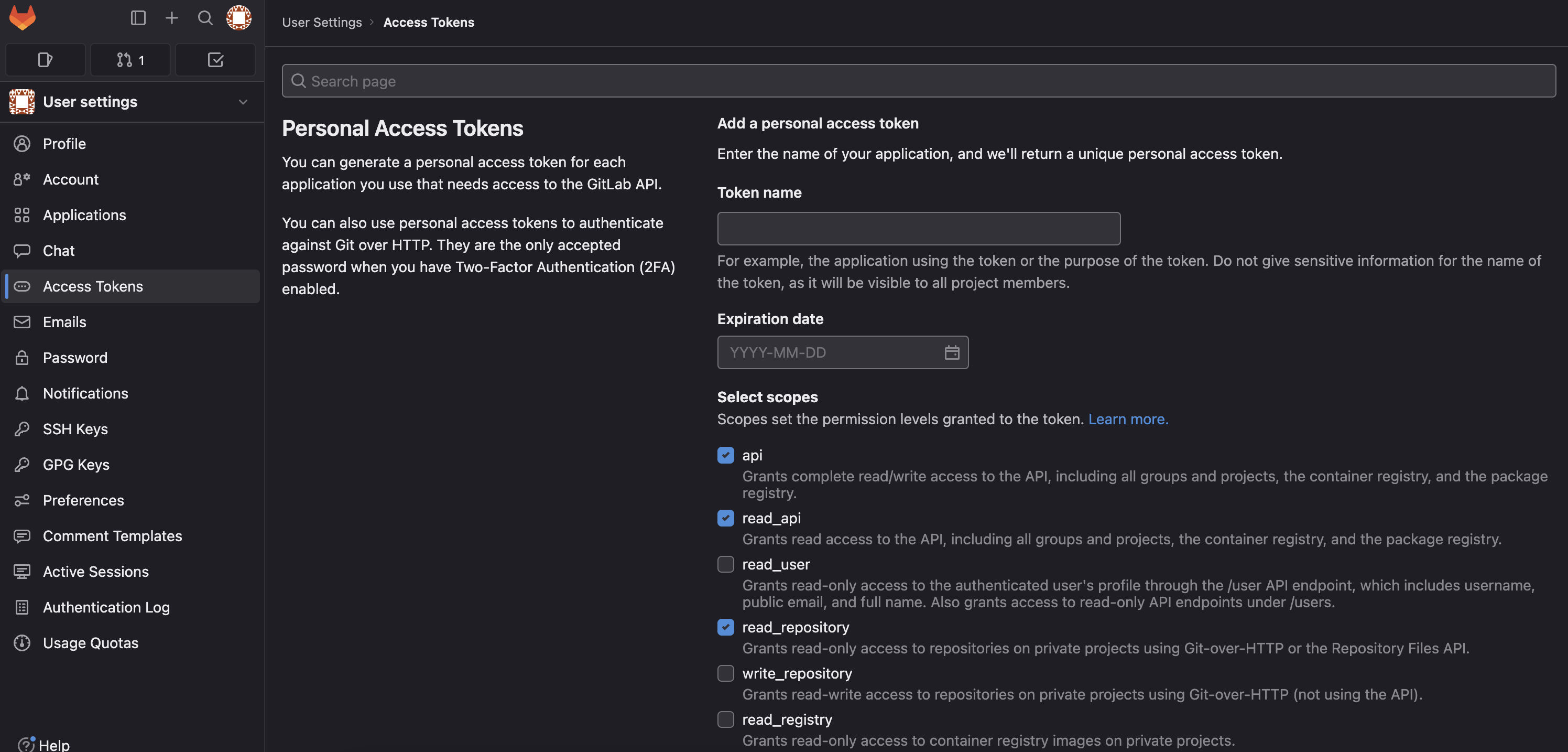
- GitLab Access Token: You will need a GitLab Personal Access Token with the following permission scopes:
apiread_apiread_repository
Configuration
- Navigate to
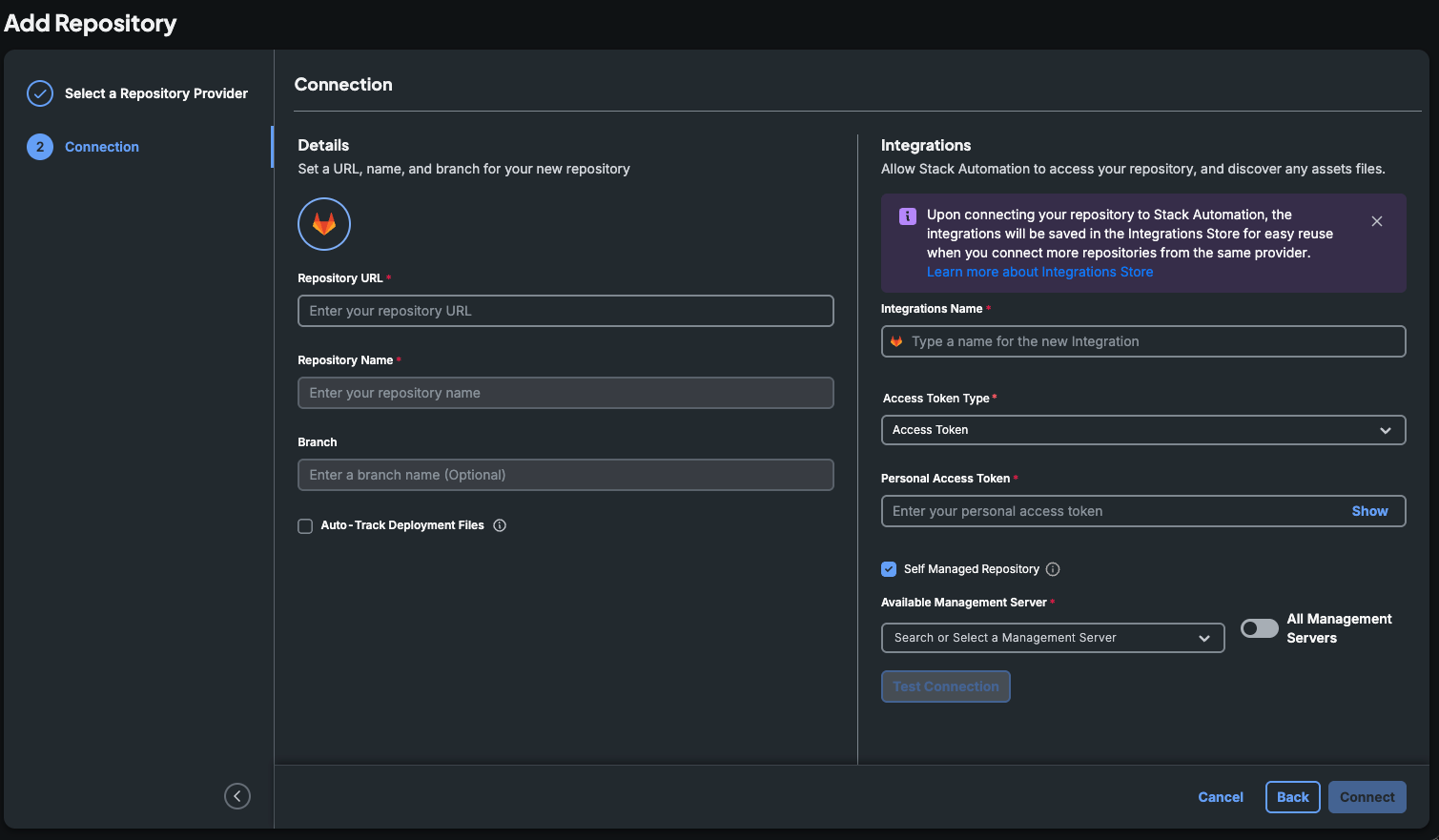
Automation -> Repositoriesand click theAdd a Repositorybutton. - Choose the
GitLabgit provider. - Check the
Self Managed Repositorycheckbox and provide the necessary repository details. - Once connected, you can discover the assets in the connected repository.
- For more information on asset discovery, refer to Discover Your Assets.
With a self-managed GitLab repository configured in Stack Automation, you can seamlessly manage and version control your assets stored in your on-premises GitLab instance.